
PROJECT CREATORS: How can I move talent to another role?
Edited
This article explains how to easily move a talent's profile from one role to another within any of your projects.
Moving a Talent to a Different Role
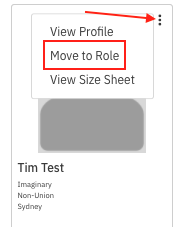
Locate the talent you wish to move. Select the three dots in the upper right corner of the talent's photo and select Move to Role.
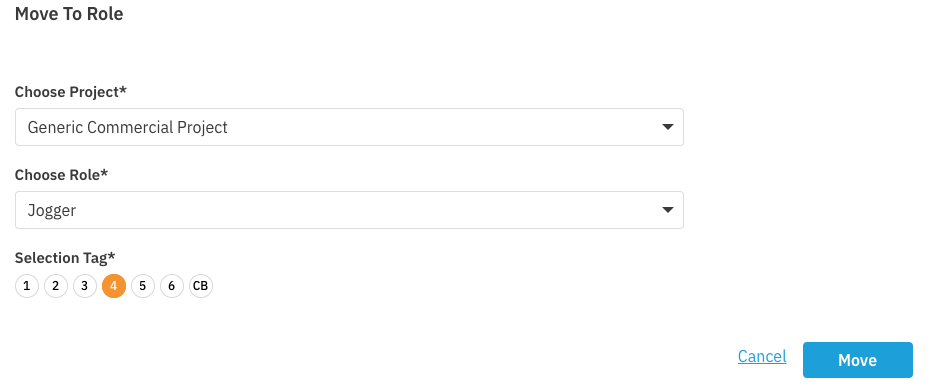
A window will appear asking where you want to send them. Choose which project and role you'd like to move the talent to and select Move.
Casting
Move
Role
Project Creator
Was this article helpful?
Sorry about that! Care to tell us more?