TALENT REPRESENTATIVE: How do I contact talent on my roster?
This article explains how talent representatives can send messages to their talent directly through Casting Networks. You can contact talent directly from the Talent page, a specific Roster List, or from within a Package to ensure they receive your message.
Contact Talent from Your Roster
Follow these steps to contact talent directly from your main roster view:
Go to the Talent tab.

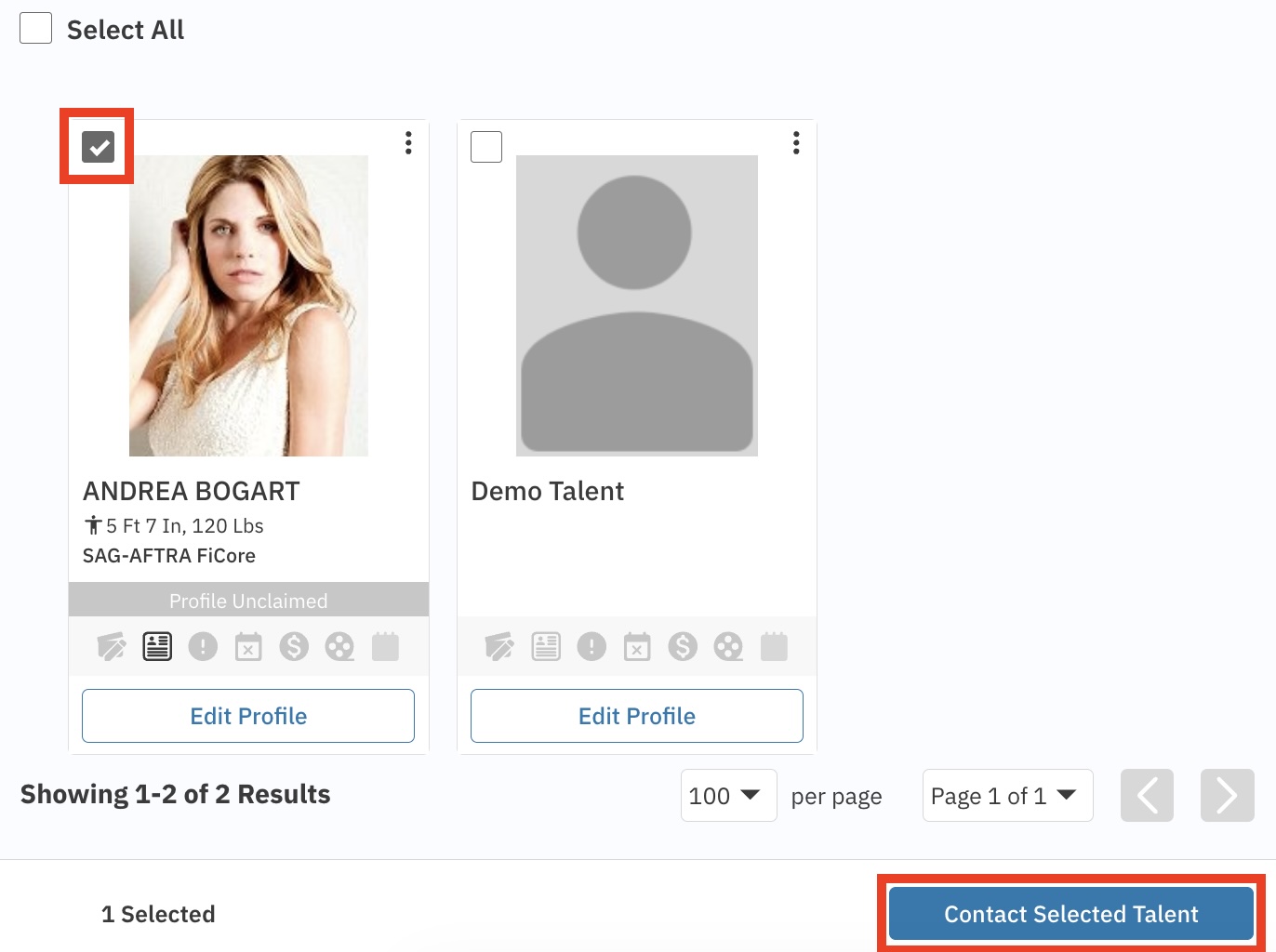
Select the checkbox located in the upper left corner of the talent's photo.
Select the Contact Selected Talent button on the bottom right of your screen.
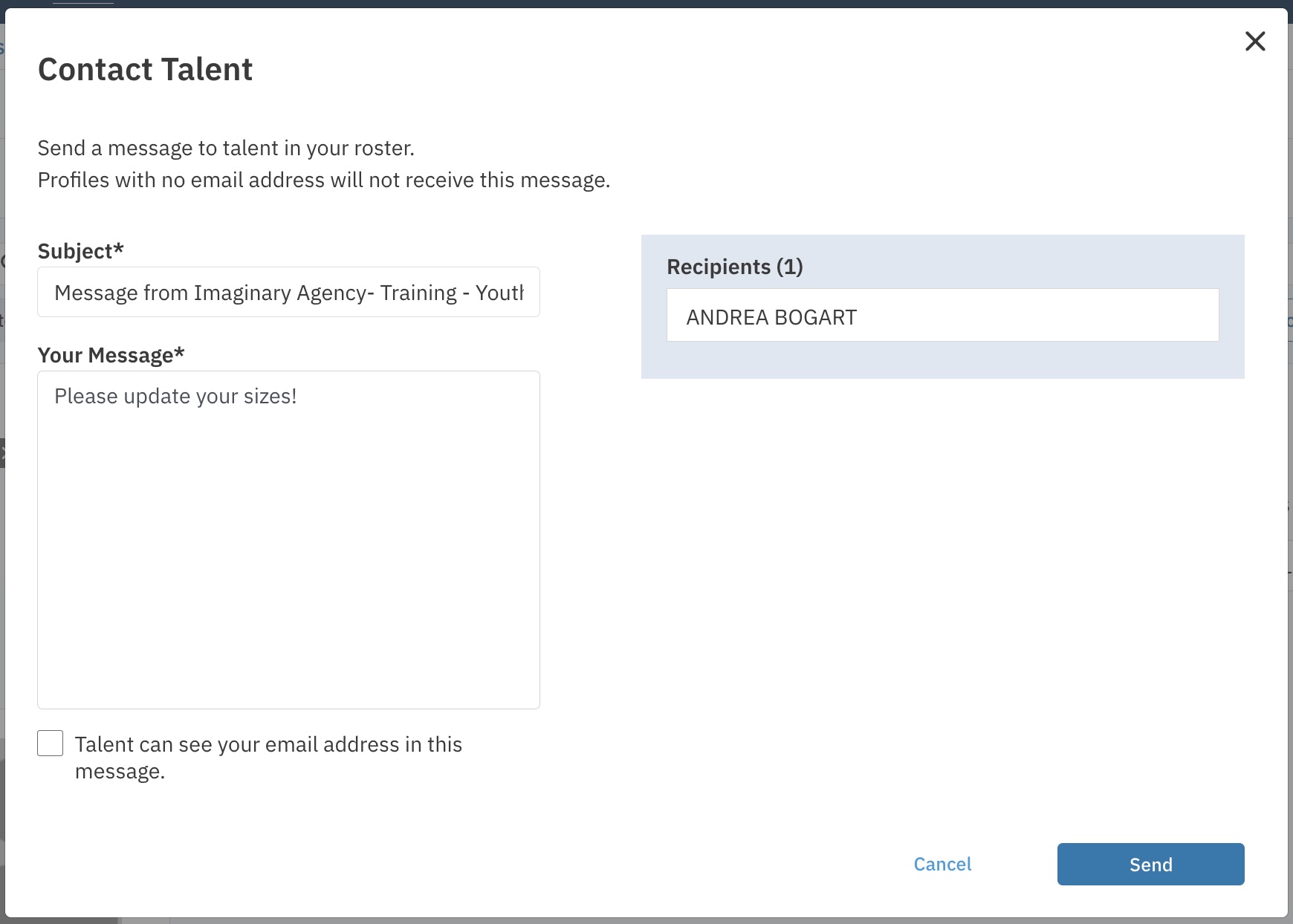
Type in the message you would like to send and select the Send button.
Contact Talent from a Package
To contact talent associated with a specific package:
Go to the Packages tab.

Select the package containing the talent you want to contact. (Note: If you need to create a new package, please refer to the package creation instructions.)
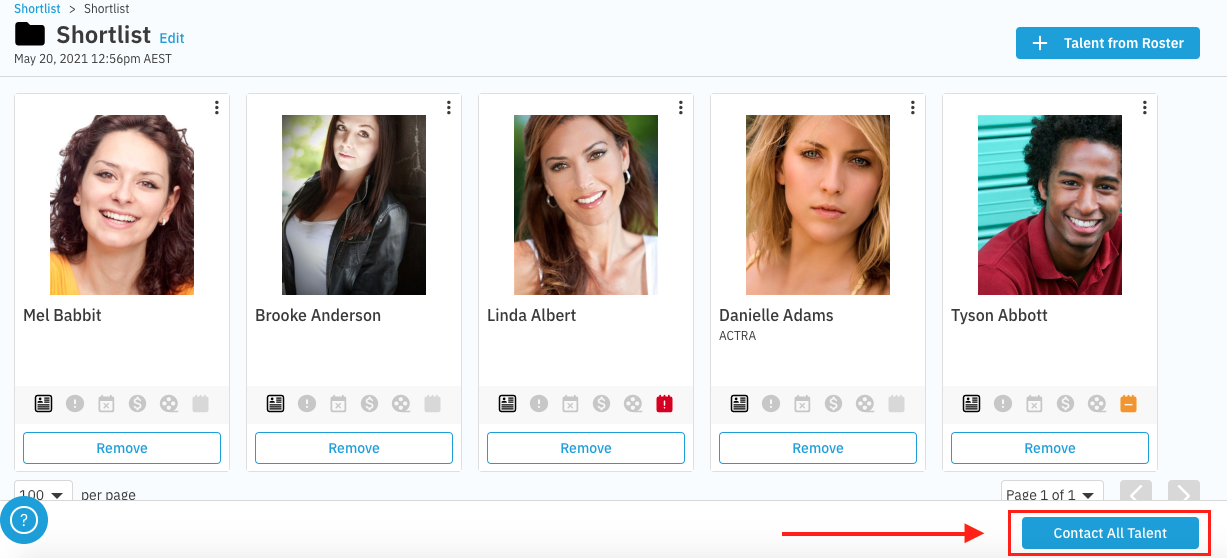
Select the folder of talent you want to contact.
Select the Contact All Talent button on the bottom right of the page.
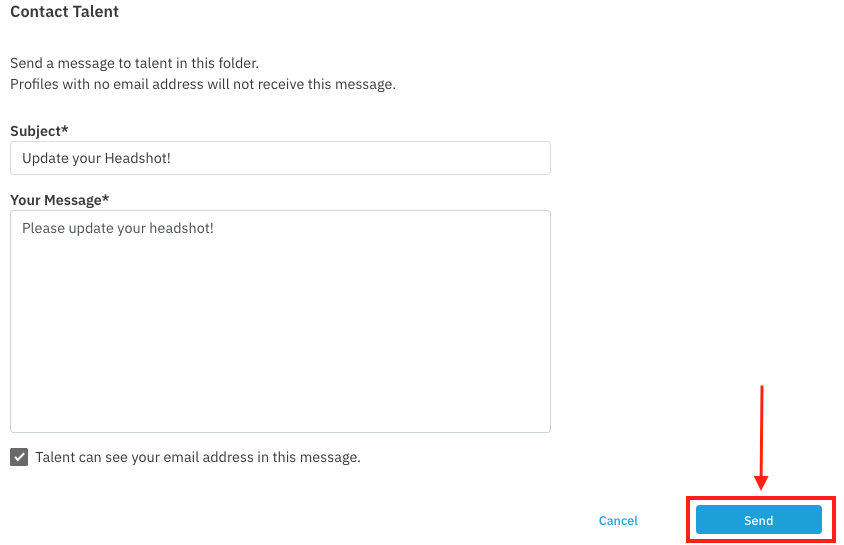
Enter in a subject and message.
When ready, press Send.