
CASTING DIRECTORS: How can I import media files into FastCapture®?
Edited
This article explains how to upload video, audio, and photos to your media bin so you can add them to your FastCapture® session.
Importing Media
There are two simple ways to add files to your media bin:
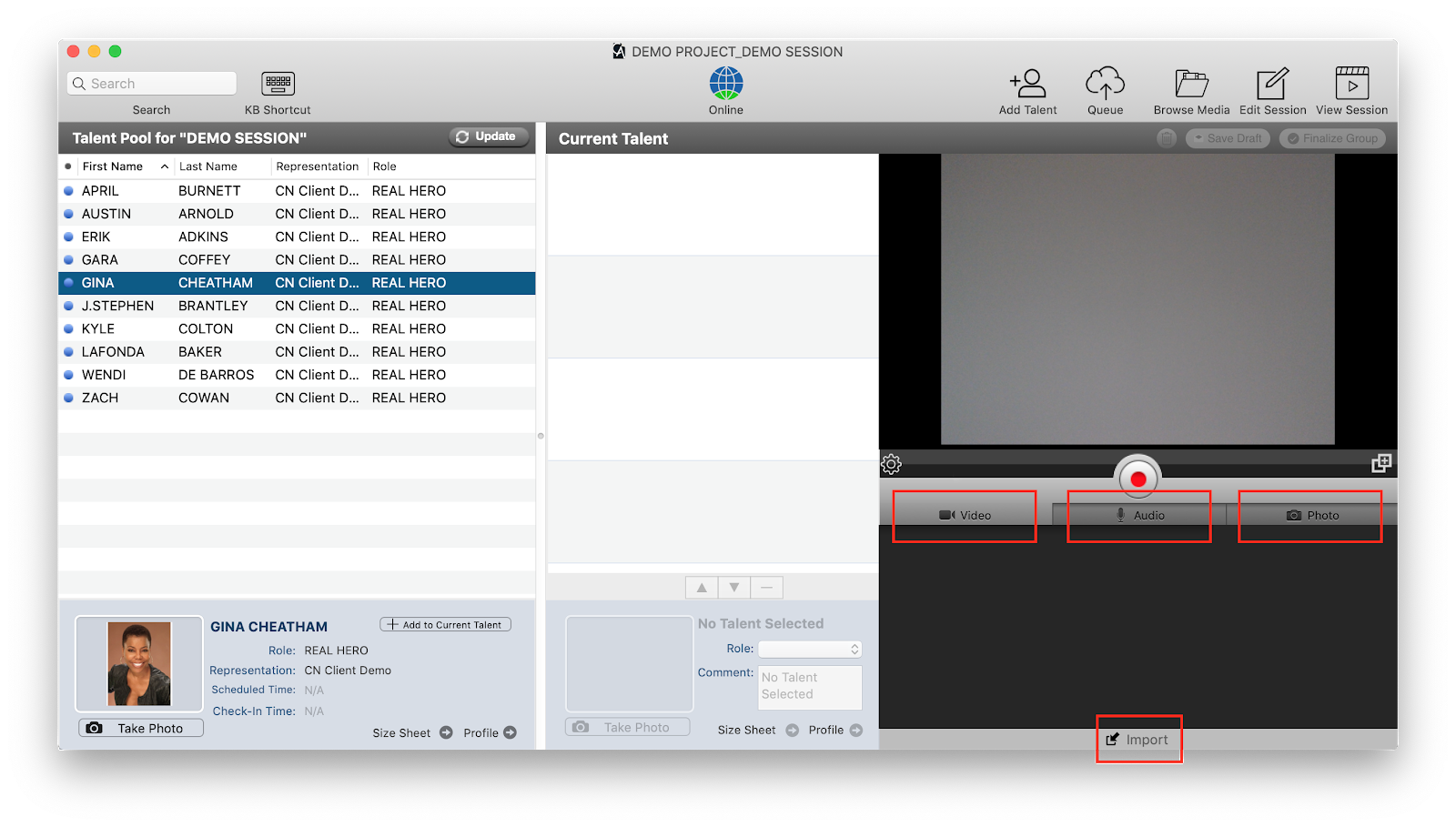
Select the appropriate media tab (Video, Audio, or Photos) located under the video preview and click Import at the bottom of the window.
Drag and drop the media files from your computer directly into the media bin.
Supported File Types
You can import media using the following file formats:
Video: .mov, .mp4, .avi, .dv, .m4v, .wmv
Audio: .mp3, .aac, .wav, .aiff
Photos: .jpg, .JPG, .png
Casting Director
FastCapture
Import
Files
Media
Was this article helpful?
Sorry about that! Care to tell us more?