
TALENT: How do I enable the Talent Scout feature?
Edited
If you are searching for representation, Casting Networks has created a Talent Scout feature to make your Personal Profile visible to representatives looking for new talent. This article explains how to access and enable this feature to help you connect with potential representatives.
Enabling Talent Scout
Note: In order to enable the Talent Scout feature, you must have an active Premium membership.
To enable this feature, please follow the steps below:
Click on the Account tab on the upper right-hand corner.
Hover over Account Settings and click on Profile Settings.
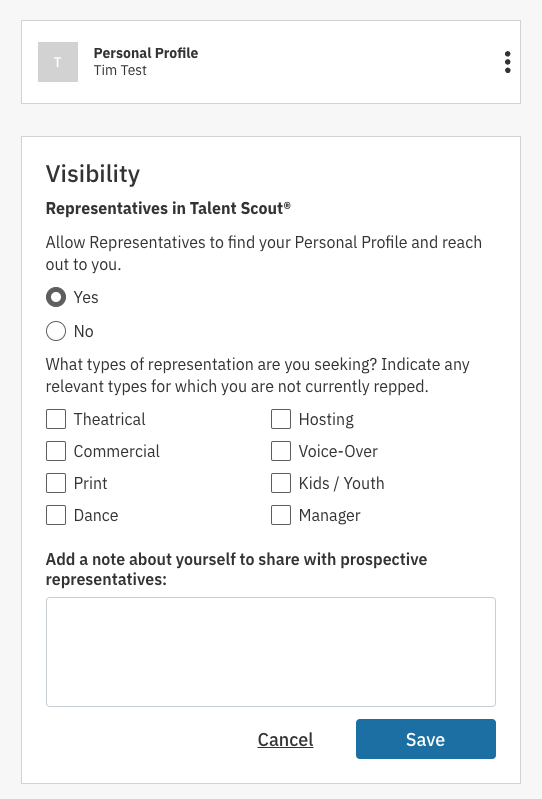
Select Yes and check the boxes of the representation you are interested in. You can also add a note about yourself for prospective representation.
Talent
Actor
Talent Scout
Was this article helpful?
Sorry about that! Care to tell us more?