
How do I change my email address or password on Casting Networks?
This article explains how to update your login credentials for your Casting Networks account. Here you will find instructions to update your information while logged in, as well as how to reset a forgotten password.
Updating Your Email Address or Password
If you are logged into your account, you can update your email or password directly from your Account Settings.
Click your name in the upper right-hand corner of the screen.
From the dropdown menu, hover over Account Settings and select Account Details.

Click the Edit button next to the email address or password field you wish to change.
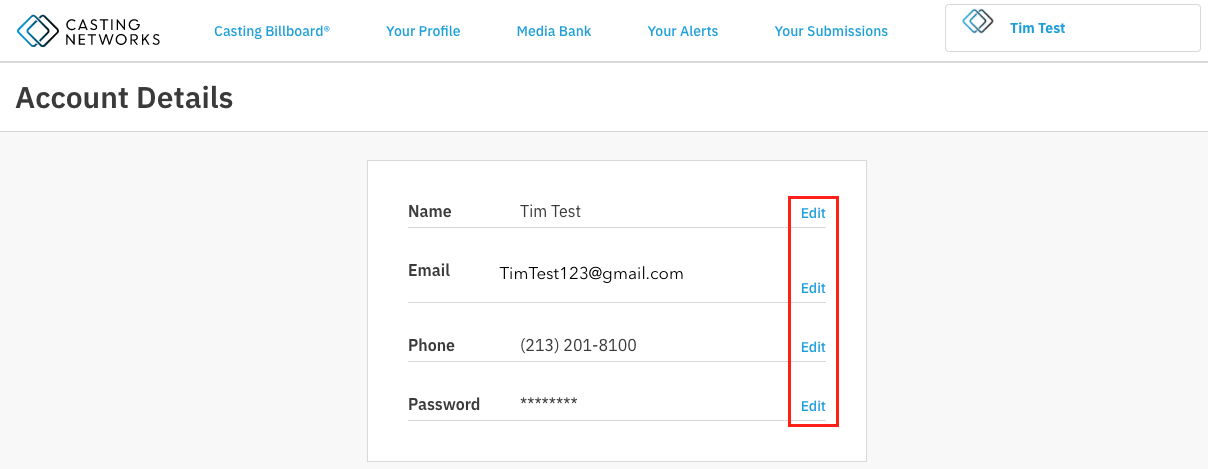
Enter your new information and click Save to confirm the changes.
Please note: If you change your email address, you will need to verify the new address via an email we send you. You will use this updated and verified email address for your next login.
Resetting a Forgotten Password
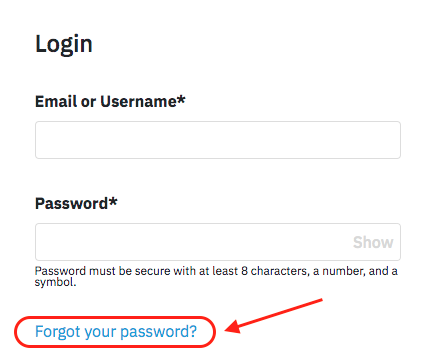
If you have forgotten your password, you can easily reset it from the login page.
On the Casting Networks login page, click on the Forgot your password? link.
Enter the email address associated with your account and select Confirm.
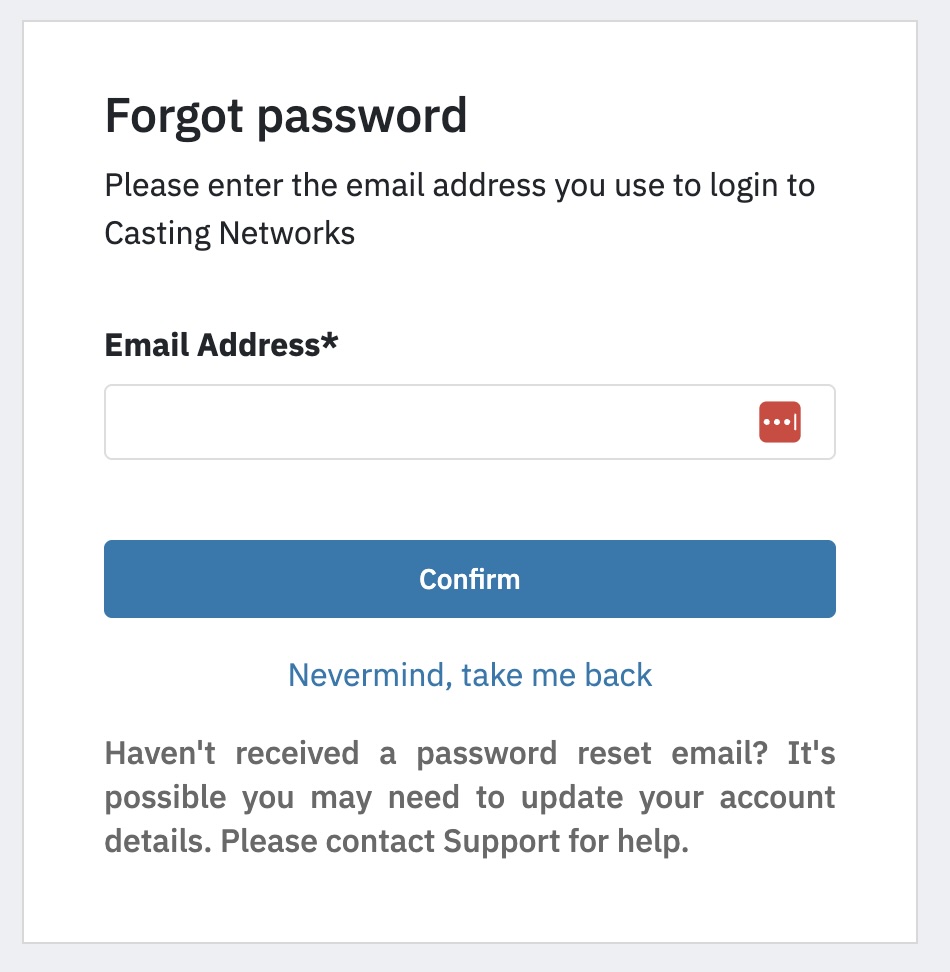
A password reset email will be sent to that address.
Open the email and click the Reset Password button. This will take you to a page where you can enter a new password for your account.
You can now use the new password to login to your account.