
How Do I Access the 'Updates' Page on the Mobile App?
Edited
This article is for Talent and Talent Representatives who want to stay informed about the latest news from Casting Networks. We'll show you how to find and use the "Updates" feature within the mobile app so you never miss an important announcement.
How to Access the "Updates" Page
Ready to see the latest news? Here’s how to find the Updates page in your Casting Networks mobile app:
Open your Casting Networks App.
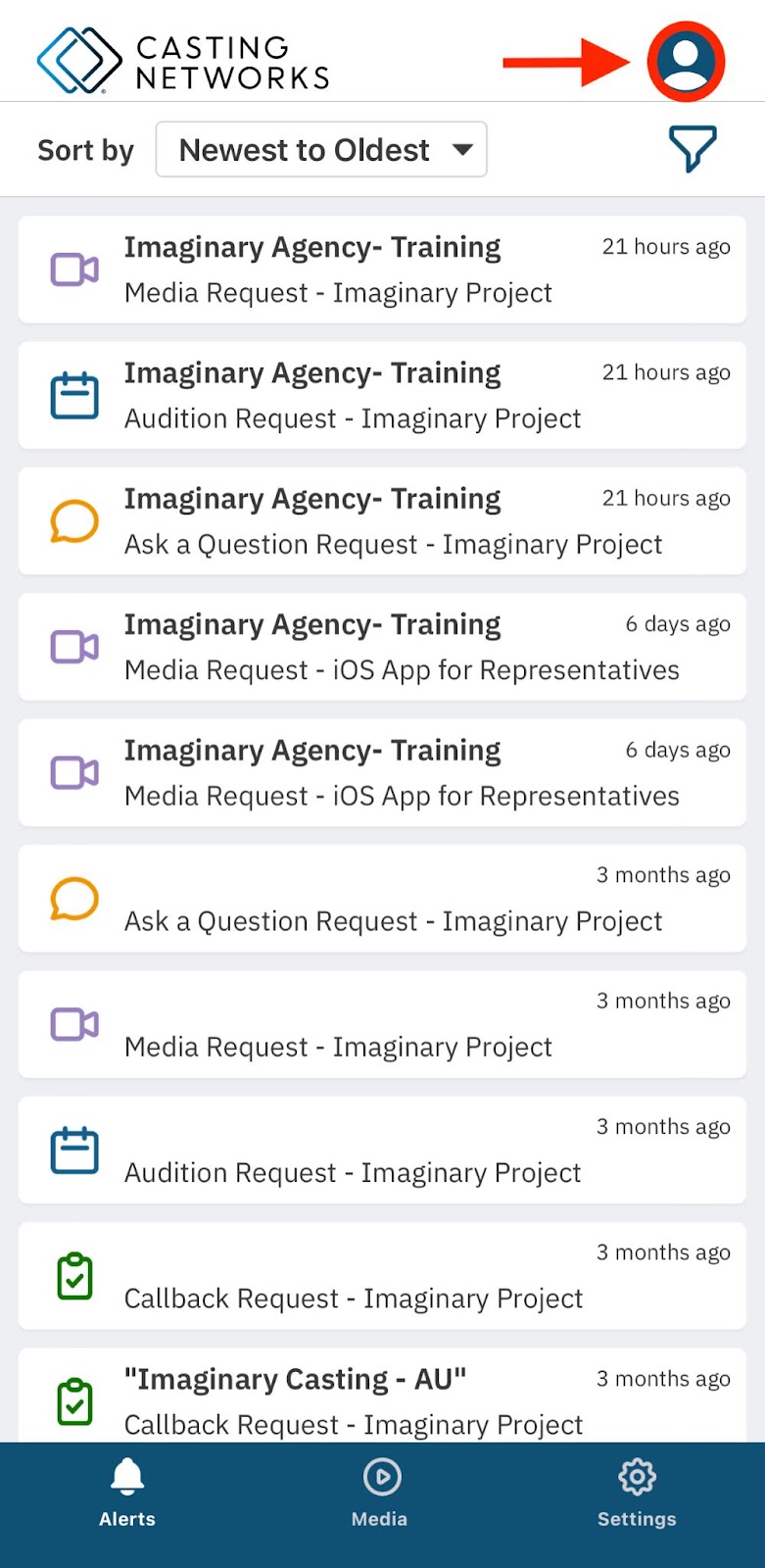
Click on the menu bar (User Icon) located in the upper right-hand corner.
Select the "Updates" tab from the menu.
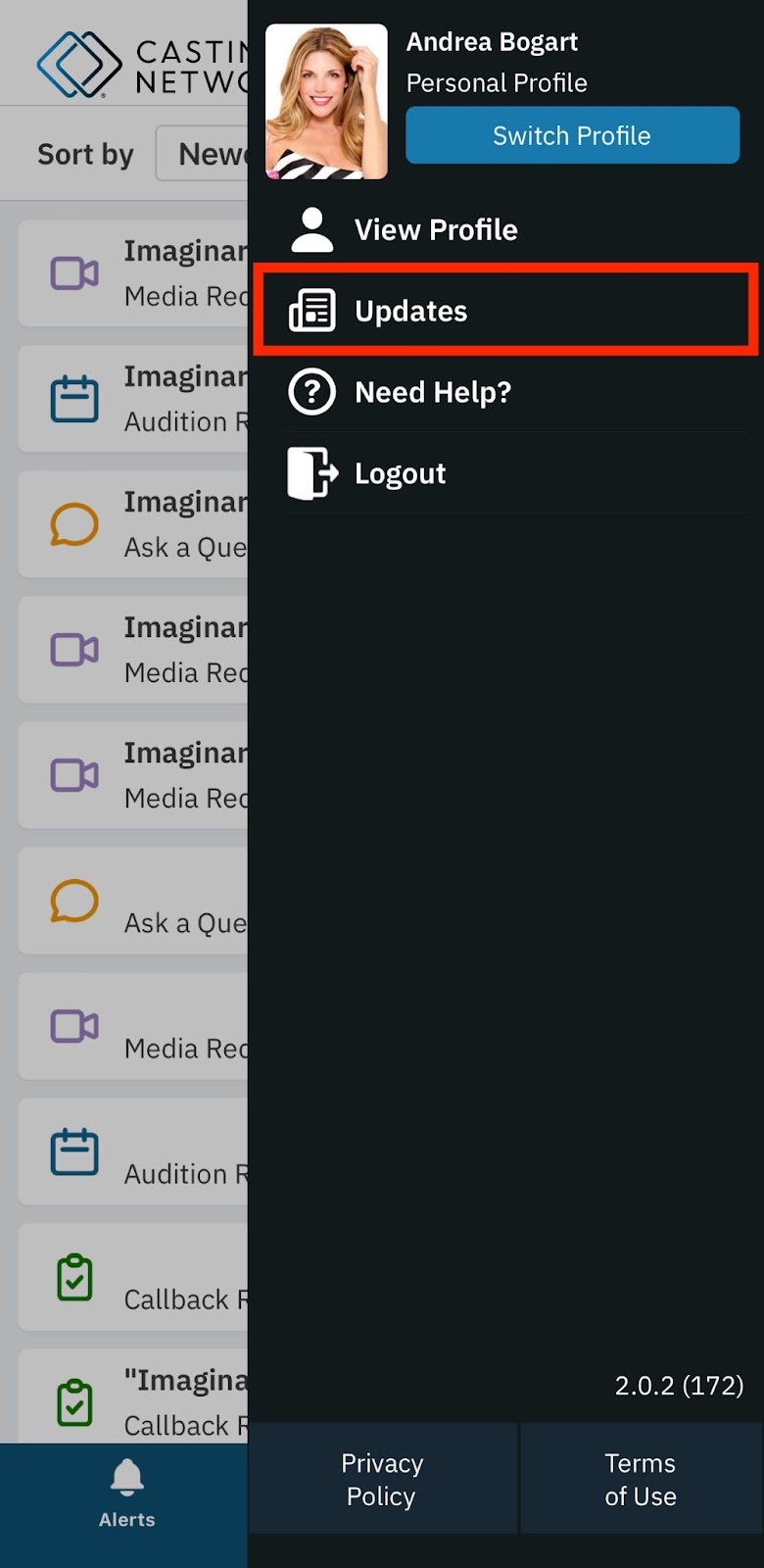
Once you tap "Updates," a pop-up will appear where you can read all the most recent news and announcements from Casting Networks!
Talent
Representatives
Updates
Mobile App
Was this article helpful?
Sorry about that! Care to tell us more?