
CASTING DIRECTOR: How do I Use the Legal Language Field?
As a Casting Director, you now have access to a new Legal Language field on your projects. This optional field allows you to include compliance-related text, legal requirements, or contractual language that will be displayed to anyone viewing your project — including talent, representatives, and the public.
Think of it as a standardized way to communicate important legal or compliance information directly within your project record, ensuring everyone who views it sees the necessary disclosures.
How Do I Add Legal Language to a Project?
Creating a New Project
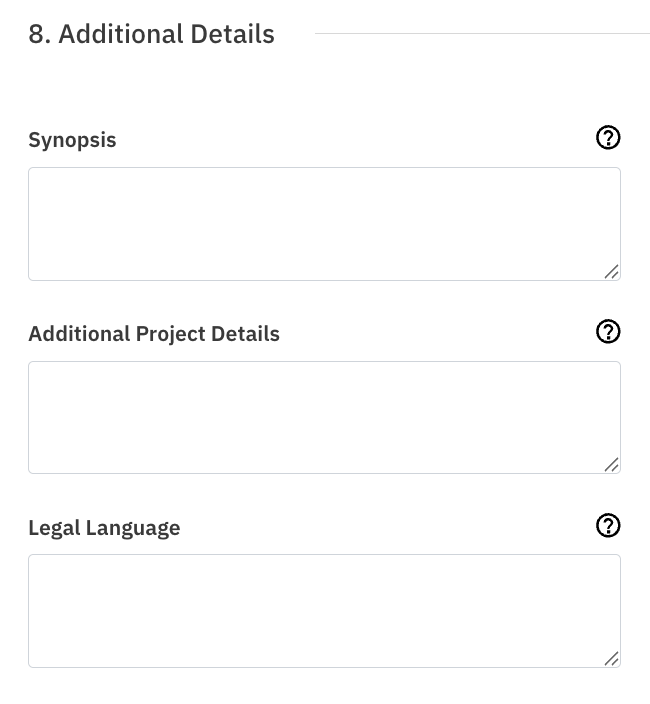
When you create a new project, you will see the Legal Language field on the project creation form in the Additional Details. Simply enter your text (up to 1,000 characters) before saving. If you do not need legal language for this project, you can leave the field blank — the project will display exactly as it does today.
Editing an Existing Project
You can add or update legal language at any time by editing an existing project. Navigate to the project edit form, locate the Legal Language field, and enter or revise your text. Remember to save your changes.
Where Will My Legal Language Appear?
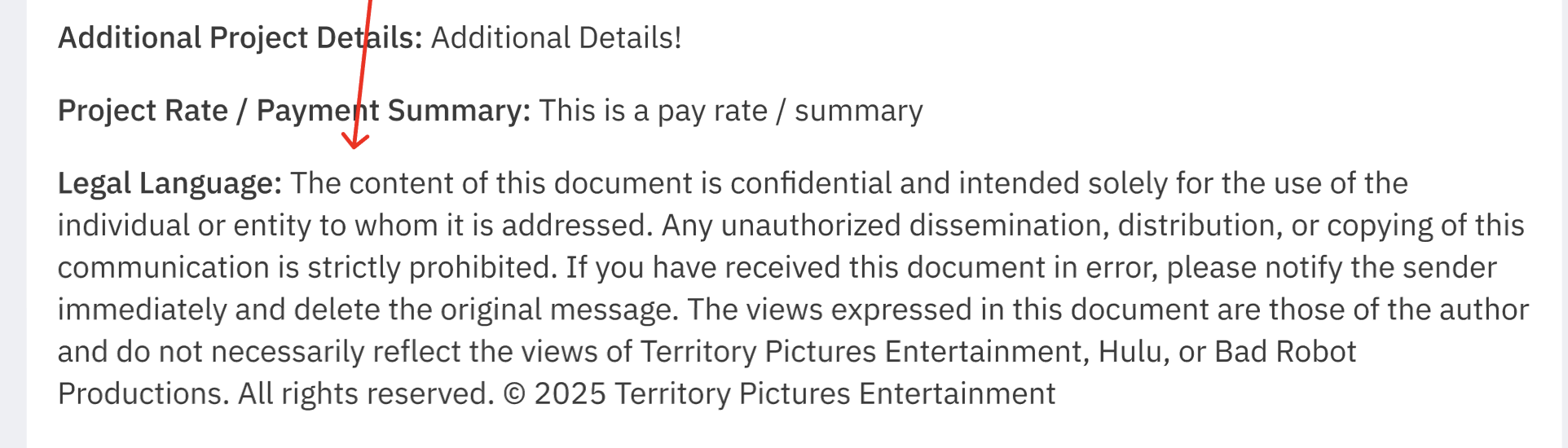
Once you enter legal language and save/publish your project, it will automatically be displayed across the following locations:
Project detail overview (your Casting view)

Project overview report (Casting and Reps views)
Project theatrical report (Casting and Reps views)
Open Call form page and public Open Calls page
Reps project overview page
Talent Casting Billboard > Project Details page
Will Reps Be Notified?
Yes. When you publish (or republish) a project, the legal language you have entered will be included in the published project notification email sent to reps. This ensures your representatives are informed of any legal or compliance language associated with the project.
Important Things to Know
The field is entirely optional. If you do not need legal language, leave it blank. No empty field or placeholder will be shown to viewers.
Character limit: The field accepts up to 1,000 characters of plain text. If you reach this limit, that is the expected behavior.
You can edit it anytime: Update or remove legal language by editing your project.
Feature availability: This feature is being rolled out gradually. If you do not see it yet, it will be available to you soon.
Frequently Asked Questions
Do I have to fill in the Legal Language field? No. It is completely optional. Only use it if your project requires legal or compliance disclosures.
What should I put in the Legal Language field? Any legal requirements, compliance disclosures, or contractual language relevant to your project. This is typically provided by your production or legal team.
Can I change the legal language after publishing? Yes. Edit the project and update the field. Remember to republish if needed so reps receive the updated notification.
Will talent see the legal language? Yes. Once published, talent viewing your project on the Casting Billboard will see the legal language on the Project Details page.
What if I don't see the Legal Language field? The feature is being rolled out gradually. If it is not visible in your account yet, it will be available soon.