CASTING DIRECTORS: How do I view a talent's audition history?

Edited

This article explains how to view a talent's previous auditions with your company. Checking a talent's audition history helps you see their past performance and interactions to inform your current casting choices.


Viewing Audition History

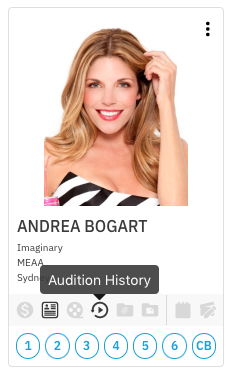
  1. Select the symbol below the talent's photo to see their audition history.

    Screen_Shot_2020-12-23_at_10.39.15_AM.png

    A profile card featuring a headshot of a smiling woman, Andrea Bogart. She has blonde hair and is wearing a strapless, black and white striped top. Below the image, her name is listed, along with placeholder text for "Imaginary," "MEAA," and "Sydney." There is a dark gray button overlaying this text that reads "Audition History," and a row of circular icons below that, followed by a row of numbered circles (1 through 6) and one labeled "CB."

  2. Click on the Audition History button to view the talent's audition history with your company.
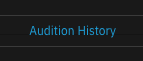
    A close-up image showing the text "Audition History" centered on a dark background. The text is highlighted in a bright, light blue or cyan color.

  • Note: If there is no audition history, the icon will be greyed out.

Was this article helpful?

Sorry about that! Care to tell us more?

Thanks for the feedback!

There was an issue submitting your feedback
Please check your connection and try again.