
Section Six: Talent Scout®
Talent Scout® allows talent representatives to search our vast network of talent looking for representation. Premium talent can select which kind of representation( e.g.,Agent or Manager), and what category (e.g.,Commercial, Theatrical, etc.), they are looking for.
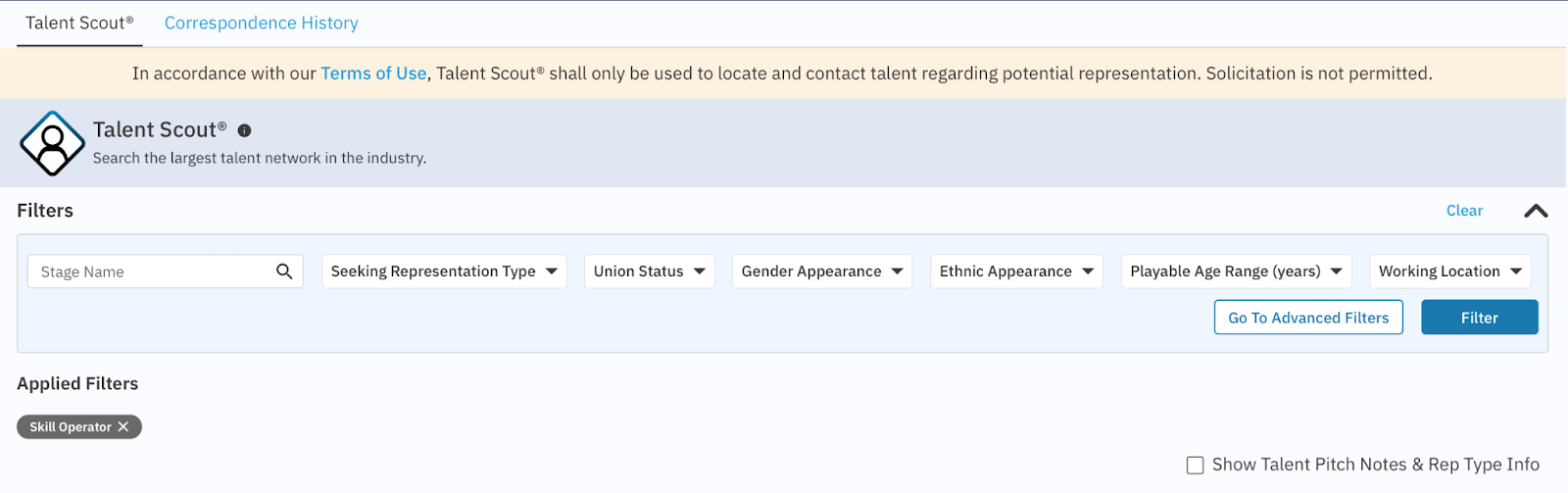
6.1 - Filters: When using Talent Scout® applying filters is essential.
Finding Talent
Stage Name
If you know specifically who you’re looking for, you can search by Stage Name. Otherwise best to narrow your search down based on what you’re looking for.
Seeking Representation Type
Union Status
Gender Appearance
Ethnic Appearance
Playable Age Range
Working Location
Go to Advanced Filters
Vast list of additional filters
6.2 - Talent Scout® Profile
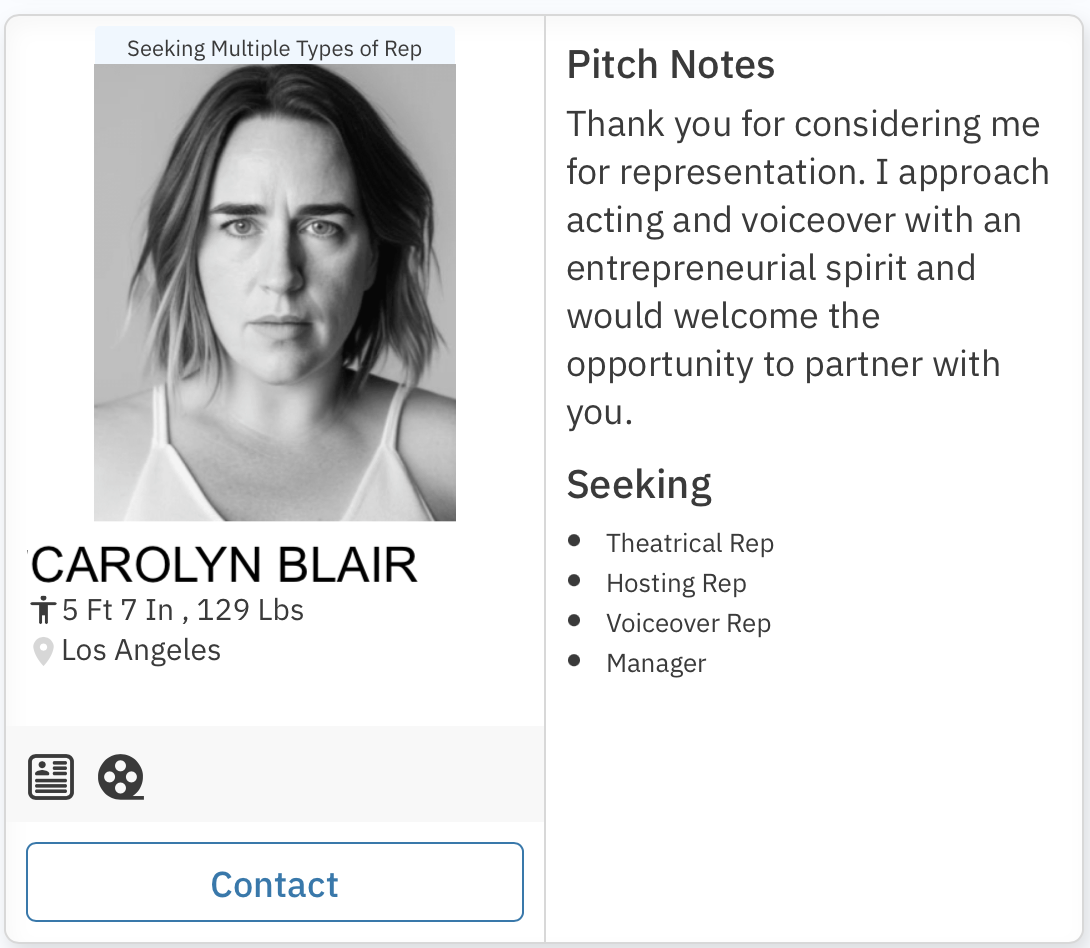
Pitch Notes & Rep Type Info
When talent opt into Talent Scout® in addition to selecting which kind of representation they want, Agent or Manager, and what category, Commercial, Theatrical. Talent has the ability to add a Pitch Note. A Pitch Note allows talent to “sell” themselves to potential representation. To view, click Show Pitch Notes.
Talent Resume and Reel
If talent have added a PDF Resume, the resume icon
will be bolded. By clicking on the icon, the user will be brought to the talent’s profile.
If talent have added a Reel, the reel icon
will be bolded. By clicking on the icon, the user will be brought to the talent’s profile.
Contacting Talent
In accordance with our Terms of Use, Talent Scout® shall only be used to locate and contact talent regarding potential representation. Solicitation is not permitted.
To contact Talent, click the contact icon and an overlay will open.
Add a message for the talent, introducing yourself as talent will only see your email address when they receive the communication.
Correspondence History is at the top of the page.
This page shows the user all messages sent through Talent Scout®
Including when the message was sent, talent’s name, the message included, and who sent the message