
Section Three: Understanding the Projects List Page
The Project List page is the representative's home page when you first login to their account. But more importantly it’s where the representative can find all the projects in which their agency has access to.
3.1 - Project Details
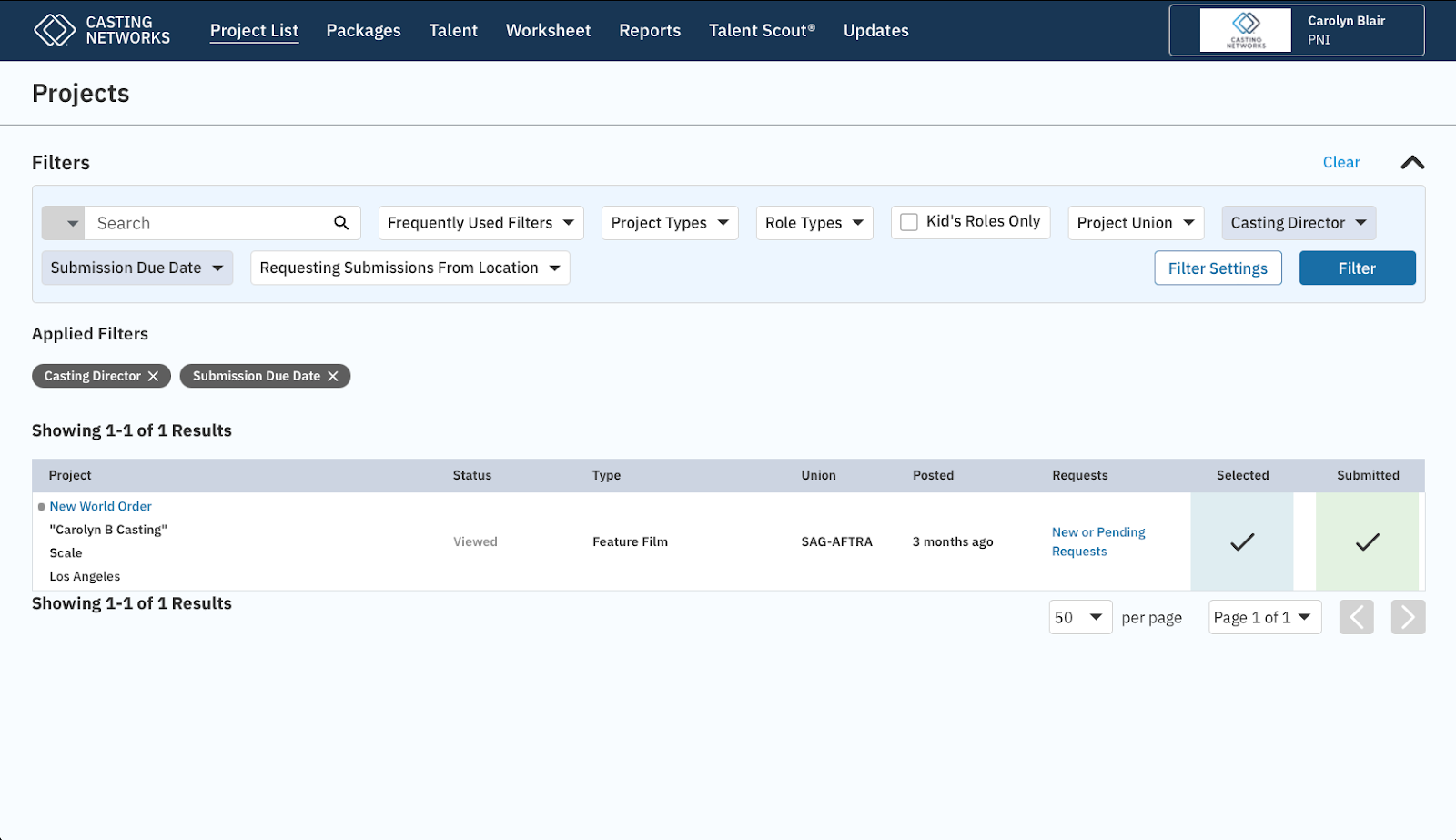
From the Project List page, the representative can see specific details about a project prior to clicking to see more details and roles. They are;
Project Name
Casting Company Name
Rate
Casting offices have the ability to add a project rate, and also specify if the rate is different per role.
Location
Indicates where the casting office is requesting submissions from
Status
Once a project has been viewed by the specific user, the status will change from “Unviewed” in orange to “Viewed” in light gray.
Type
The project affiliation; examples, Television Series, Feature Film, Commercial
Union
The project’s Union type.
Posted
Reflects when the casting office published the project.
Requests
If talent receives an Audition, Callback or a type of Request (Media or Question), and the user clicks on “New or Pending Requests,” the user will be taken to a pre-filtered Worksheet for the specific project. Additionally, any Requests will also be displayed on the Project Overview page just below the roles.
Selected
Indicates the number of talent in a “Selected” status. These talent have not yet been submitted.
Submitted
Indicates the number of talent who have been submitted for the role.
3.2 - Filters
Filters can be found on pages throughout the site: Project List page, Submitting talent to a role, Packages, Talent Roster, Worksheet and Talent Scout.
On the Project List page, establishing Filter Settings is an ideal way to maintain and organize the user’s page.
If you’re a representative who only represents kids, you can establish you only want to see projects with kids roles only.
Voice-over representative and only want to see voice-over projects and roles.
On the Worksheet, Filters are “sticky” meaning once the user has established the filters for the working session, when the user navigates to another page on the site and back, the filters set will remain.