TALENT REPRESENTATIVE: How do I add a manager's email to a talent profile?
This article explains how Talent Representatives on Casting Networks can add a manager's email address to a talent's profile. Adding this information allows managers to be CC'd on important audition or media request emails, keeping everyone in the loop.
Adding a Manager's Email Address
To ensure a talent's manager receives copies of requests, you first need to update the talent's profile details. Follow these steps:
Click Talent in the top navigation bar.
Click Filter.
Enter the talent’s stage name and click Search.
Click Edit Profile located below the talent’s photo.
Scroll down to the section labeled Details for (your company’s name).
Click Edit to the right of the Manager Email field.
Enter the manager’s email address and click Update Profile.
Quick Tip: You can also edit a profile while selecting or submitting talent. simply click the overflow menu (⋮) on any talent card and select Edit Profile.
Forwarding Requests and CC Options
Once the email is saved, you have control over when the manager is included in communications.
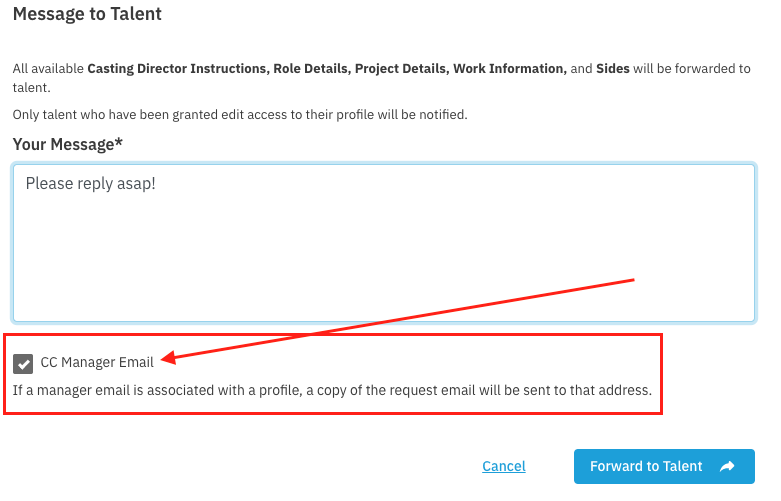
Default Setting: The option to CC the talent's manager is ON by default when you forward a request.
Check First: Always ensure the manager's email is actually on the profile before forwarding. If it isn't there, the CC won't work.
Opting Out: If you do not want the manager CC'd on a specific email, simply uncheck the box before you forward the request to the talent.