
TALENT REPRESENTATIVE: How do I edit my talent's profile details?
If you represent talent, you often need to keep their profiles up to date to ensure they are ready for submission. This article explains how to upload resumes, update phone numbers, and edit dates of birth (for minors) using the Edit Profile feature.
How do I add or update a resume?
You can add a resume to your talent's profile through the Edit Profile feature. Here is how to get that done:
Click Talent in the global navigation bar.

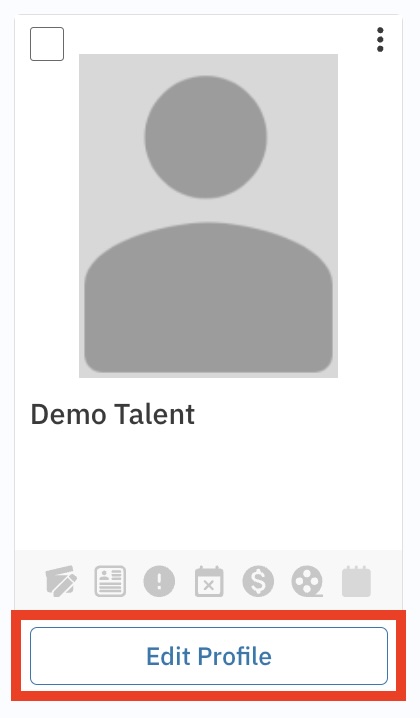
Click Edit Profile below the specific talent’s profile.
Scroll down to the Resume button and click it.

A pop-up modal will appear; use this to upload your talent's latest resume.
Please Note: The site currently only supports .PDF files for resumes.
How do I convert a Word document to PDF?
If your talent sent you a Word Document (.doc or .docx), don't worry. You can easily convert it to a PDF using one of the methods below.
Using Microsoft Word
Open the file in Microsoft Word.
Click on File in the top left corner of the window.
Select Save As and choose where you want to save the file.
In the Save as type drop-down menu, select PDF.
Click Save.
Using Print to PDF in Windows
Open the document file.
Select File > Print.
In the Printer selection box, choose Microsoft Print to PDF (or any other PDF printer installed).
Click on Print; you will be prompted to choose a location to save the PDF.
Using macOS Preview
Open the file with Microsoft Word or a compatible word processor on your Mac.
Click on File > Print.
In the print dialog, click on the PDF button in the bottom left corner.
Select Save as PDF from the dropdown menu.
Choose the location to save the file and click Save.
How do I edit the date of birth for a client?
An exact date of birth can only be edited for talent who are minors. For adults, age is represented by an age range.
To edit the date of birth for a minor:
Click Talent in the global navigation bar.
Click Filter, enter the talent’s stage name, and click Search.
Click Edit Profile below the talent’s profile.
Click Edit next to the talent’s current age.
Select the correct date of birth.
Click Update Profile.
Quick Tip: You can also access this while selecting or submitting talent by clicking the overflow menu (⋮) next to their name and selecting Edit Profile.
Where can I see or update my talent's phone number?
Phone numbers must be entered manually on the profile. To add or update a number:
On your talent roster, select the Edit Profile button.
Once on the talent’s Profile page, scroll down to the Details section.
Select Edit to the right of "Talent Phone".

Enter the talent’s phone number.
Select Update Profile.