
TALENT REPRESENTATIVE: How do I see more details for a role?

Edited

This article is for Talent Representatives who need to view comprehensive information for specific roles within a project on Casting Networks. It explains how to access audition dates, sides, and other requirements.


Viewing details for a single role

You can expand roles individually to see specific details regarding the booking or audition.

  1. Locate the role you wish to view within the project.

  2. Click the down arrow located to the right of the role name.

Once expanded, the role information will display the following details:

  • Audition, callback, shoot, and fitting dates

  • Sides

  • Wardrobe information

  • Work requirements

  • Media reference photos

An interface element displaying a search result for "Male 18-35" available on "Dec 10". The main result area shows details: **Principal**, **Non Union**, **Man 18-35**, **Multiple Ethnic Appearances**, and a description starting with "All shapes and sizes. Inclusive, Real, Unique-looking people. Short, chubby, tall, skinny, hip, dorky, normal, etc. Ideally not 'model-like' but th...". A blue button labeled **Find Talent** and a red-boxed downward-pointing arrow are visible on the right.

Expanding or collapsing all roles

If you need to get a high-level view of the entire project or clean up your view, you can manage all roles at once rather than clicking them individually.

  1. Locate the Project Roles section.

  2. Click Expand/Collapse Roles located to the right of "Project Roles," just above the first listed role.
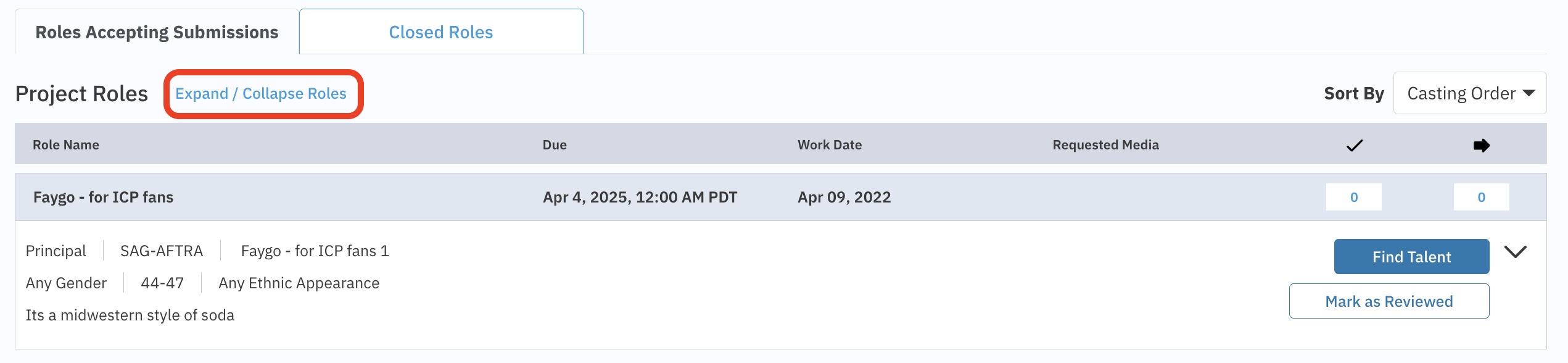
Interface showing project roles for casting, sorted by Casting Order. A highlighted "Expand / Collapse Roles" button is visible. One role, "Faygo - for ICP fans" with a due date of Apr 4, 2025, is displayed, listing requirements like Principal, SAG-AFTRA, Any Gender 44-47, Any Ethnic Appearance, and includes buttons for "Find Talent" and "Mark as Reviewed."

Was this article helpful?

Sorry about that! Care to tell us more?

Thanks for the feedback!

There was an issue submitting your feedback
Please check your connection and try again.
