
CASTING DIRECTORS: How do I add skills to a role?
Edited
This article explains how to add "Skills" to your roles. While adding skills needed for a role is not required, it can help indicate to talent or talent representatives exactly what is required for the role.
Adding Skills
Follow these steps to add skills to your role:
Click on the dropdown icon.
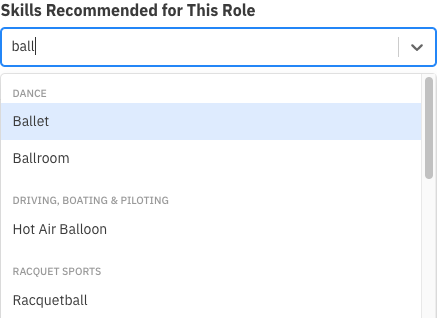
Start to type the name of the skill.
As you type, options will begin to autocomplete and match you with valid options.
Casting Director
Add
Skill
Was this article helpful?
Sorry about that! Care to tell us more?