
CASTING DIRECTORS: How do I sort and organize my Projects List page?

Edited

This article is for Casting Directors, it explains how to use the sorting, filtering, and grouping tools to organize the Projects List page and customize your workflow.


Filters

At the top of the page, you will see a Filters feature. This allows you to filter your view by Project Type, Project Status, and Series.

You also have the option to search for specific projects using any part of the project name in the search bar.

Note: To view archived projects, you must specifically apply the Project Status filter "ARCHIVED".

A screenshot of a "Projects List" web interface. At the top right, there is a blue "New Project" button. Below the title, a "Filters" section is visible. This section includes a search box, dropdown menus labeled "Project Type," "Project Status," and "Series," a "Clear" link, and a blue "Filter" button. The filter section is currently expanded.

Sorting Columns

You can sort your list by clicking on the category titles at the top of the columns. By default, the project list is sorted by Last Modified (most recent at the top).

You can sort by the following categories:

  • Name

  • Type

  • Series

  • Project Creation

  • Last Modified

How sorting logic works:

  • For Name, Type, and Series:

    • Click once: Organizes A-Z.

    • Click twice: Organizes Z-A.

    • Click three times: Returns to the default (Last Edited at the top).
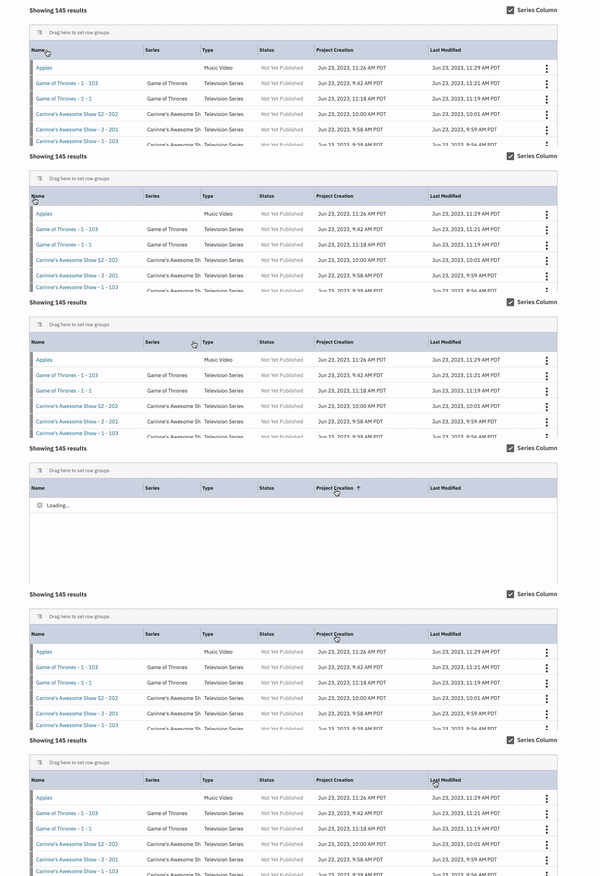
  • For Project Creation and Last Modified:

    • Click once: Organizes Oldest-Newest.

    • Click twice: Organizes Newest-Oldest.

    • Click three times: Returns to the default (Last Edited at the top).

Screenshot showing the sorting columns on the projects list

Grouping Rows

You have the option to drag and drop specific categories (Series, Type, and Status) to the top of the list to group your projects.

  1. Locate the column header you wish to group by (e.g., "Type").

  2. Click and drag the header to the space labeled "Drag here to set row groups."

  3. Your project list will reorganize into drop-down menus based on that category (e.g., Commercial, Documentary, Feature Film).

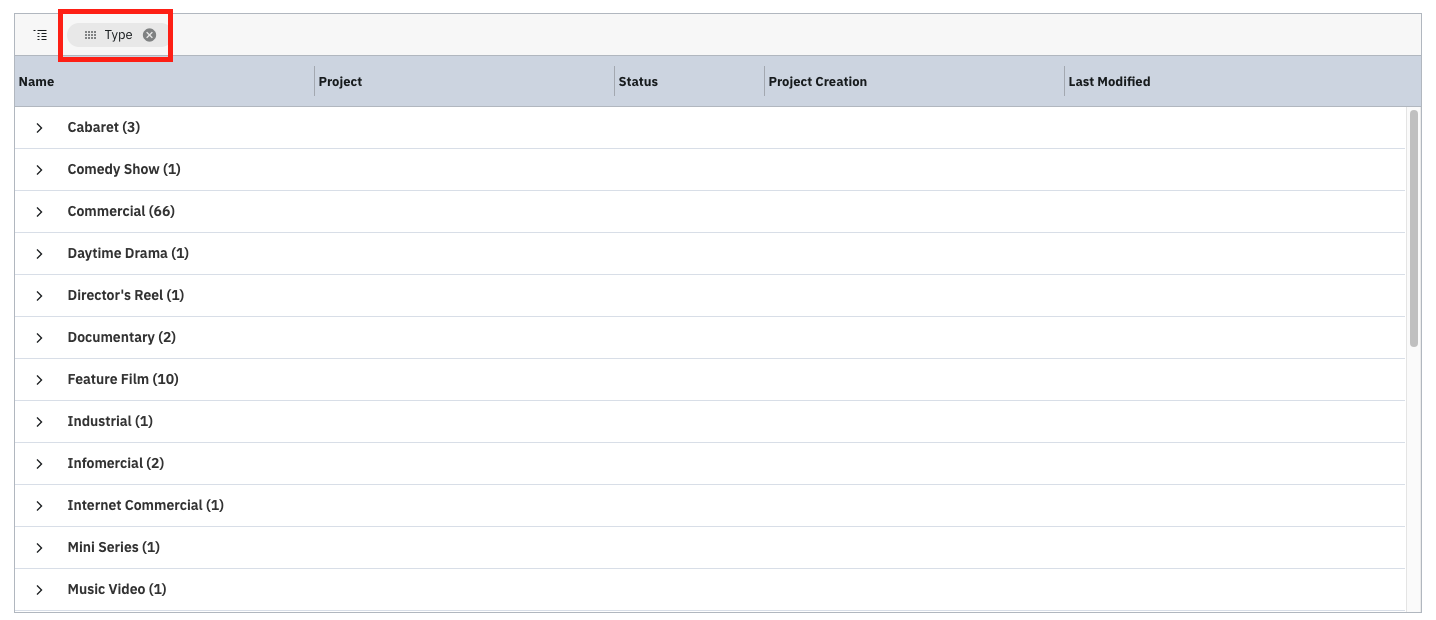
Screenshot demonstrating where to drag column headers to set row groups

A screenshot of a list view in a software application, likely a project or file management system, displaying different categories of media projects. The list is structured with columns for Name, Project, Status, Project Creation, and Last Modified. The "Name" column shows various project types as expandable rows, each with a number in parentheses indicating the count of projects of that type.

You can also drag and drop the Status category to the top to organize your projects by their current status.

A screenshot of a data table or list view interface. The columns are "Name", "Project", "Type", "Project Creation", and "Last Modified". Above the table, a filter or tag labeled **"Status"** with an 'x' icon is highlighted by a **red rectangle**. Below the header, the table rows are collapsed, showing categories such as **"Active (82)"** and **"Not Yet Published (57)"**.

Series Column Visibility

If you are casting a Television Series or Web Series, you may want to see the Series information at a glance.

To do this, check the box next to "Series Column" to make that column visible in your main list view.
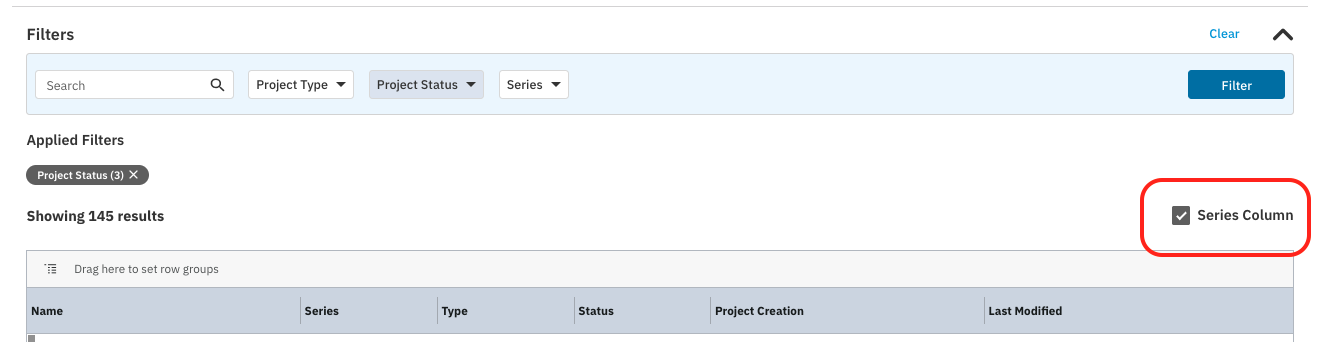
A screenshot of a data filtering interface. At the top, there is a **Filters** section with a search bar and three dropdown menus: **Project Type**, **Project Status**, and **Series**, along with a blue **Filter** button. Below this, **Applied Filters** shows a gray tag labeled **Project Status (3)**. The text **Showing 145 results** is visible. To the right of the results count, a checkbox is highlighted with a red box, labeled **Series Column**. The bottom shows the beginning of a table with columns for **Name**, **Series**, **Type**, **Status**, **Project Creation**, and **Last Modified**.

Was this article helpful?

Sorry about that! Care to tell us more?

Thanks for the feedback!

There was an issue submitting your feedback
Please check your connection and try again.