
CASTING DIRECTORS: How do I view all requests in my project?
This article covers how to access and view the history of requests within your project. It explains where to find the request log so you can track sent items, types, and timestamps.
Viewing your requests
If you want to see a history of actions taken on a project, you can easily access the request log. Follow these steps:
Navigate to your current project.
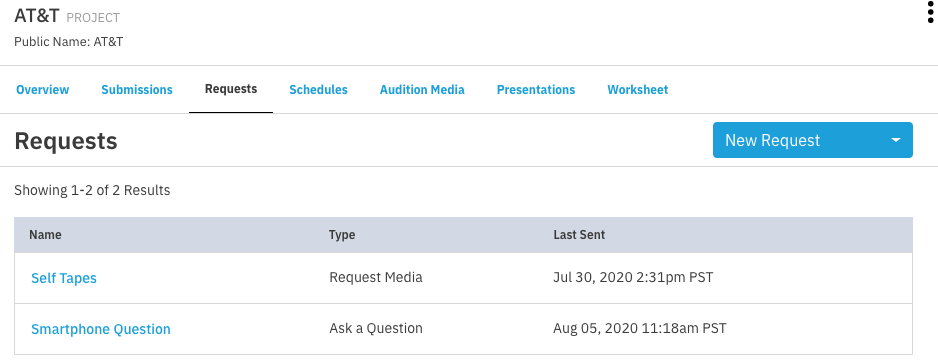
Click Requests located under your project name.
Your requests will appear in a list with the most recent items displayed first. This view allows you to see the Request Name, Request Type, and the last sent timestamp at a glance. If you need to see the specific details of a submission, simply click on the name of the request.
Helpful Tips
The requests page displays 25 requests per page by default.
If you have sent a large number of requests for a project, you may want to adjust the display settings to show more items per page.