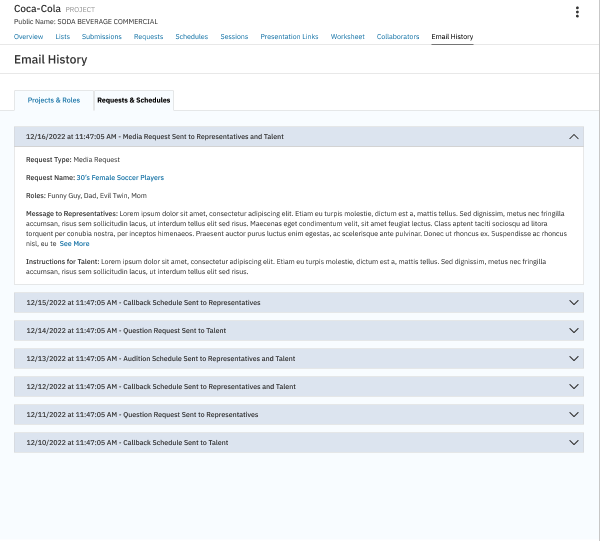
CASTING DIRECTORS: What is the Email History feature?
This article explains how to use the Email History feature to track communications sent to Talent and Talent Representatives within a specific project. This ensures your workflow remains organized and transparent.
Where can I find the Email History feature?
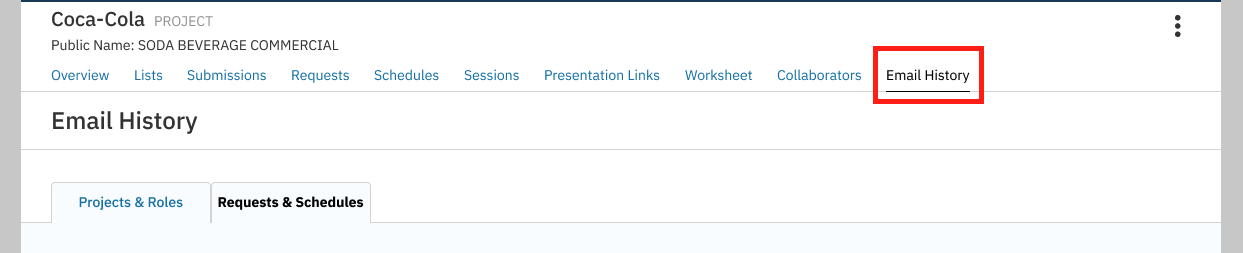
You can find the Email History feature within the Projects List tab. It is located on the right-hand side of each project as a new tab option.
What categories are in the Email History?
The Email History section organizes notifications into specific categories to help you find what you need quickly:
Publication Settings
Role Published
Requesting Additional Submissions
Widened Publication Settings
Audition Notifications
Audition Schedule Sent
Callback Schedule Sent
Request Notifications
Media Request Sent
Question Request Sent
*Please note that each section will specify if the notification was sent to the Talent Representative, Talent, or Casting Billboard.
How do I view specific message details?
Within each Email History notification, you can view the specific messages sent to Talent Representatives and Talent. This feature helps streamline your workflow throughout the project by keeping your communication history straightforward. Every notification includes a date and time stamp for accurate tracking.