
Talent: How do I edit my profile on the Mobile App?
Edited
Premium members have the capability to edit their profiles using the mobile app! To update your profile information, please follow these instructions.
1. Open the Casting Network Mobile App
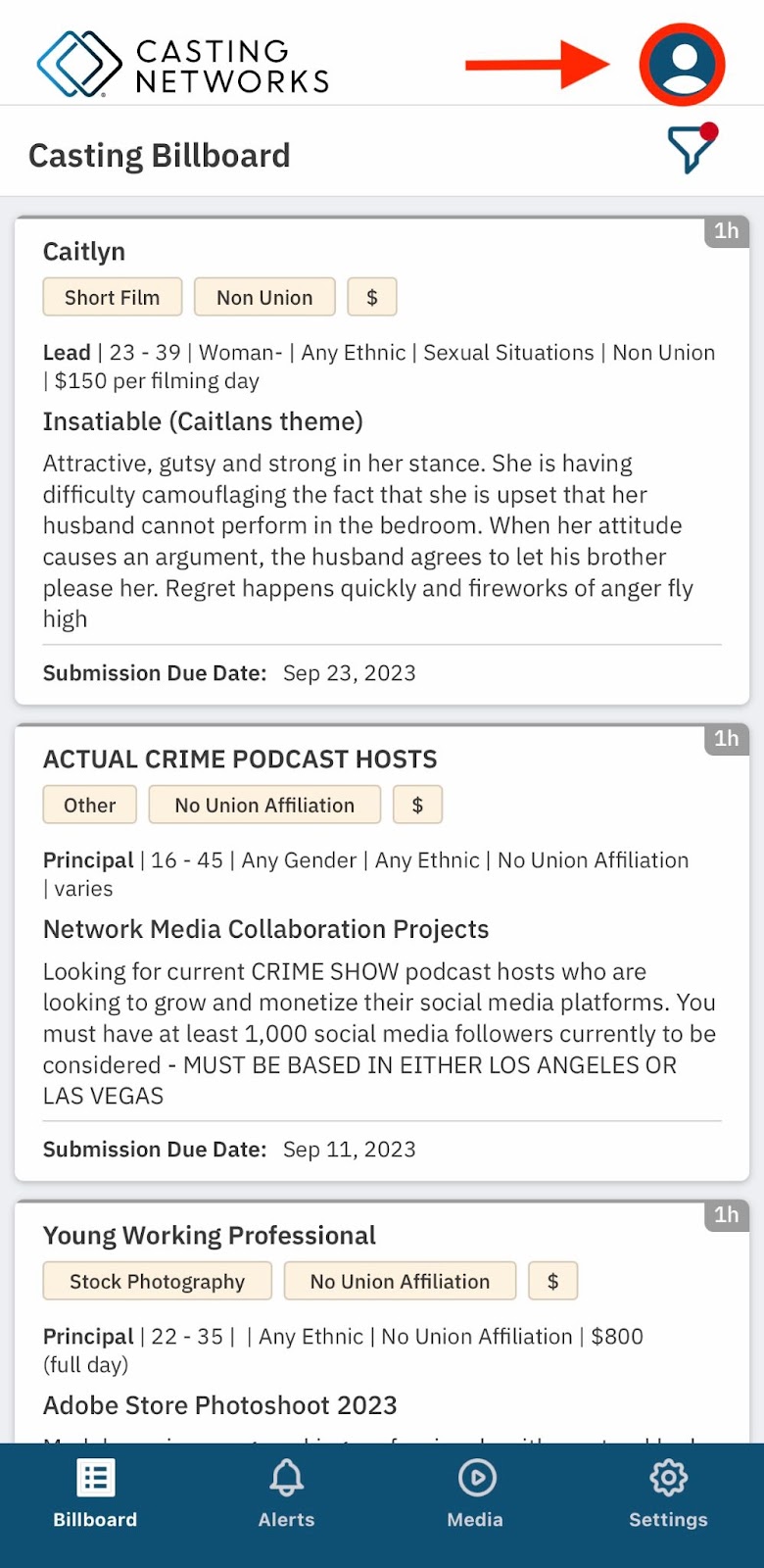
2. Select the Account tab in the upper right-hand corner
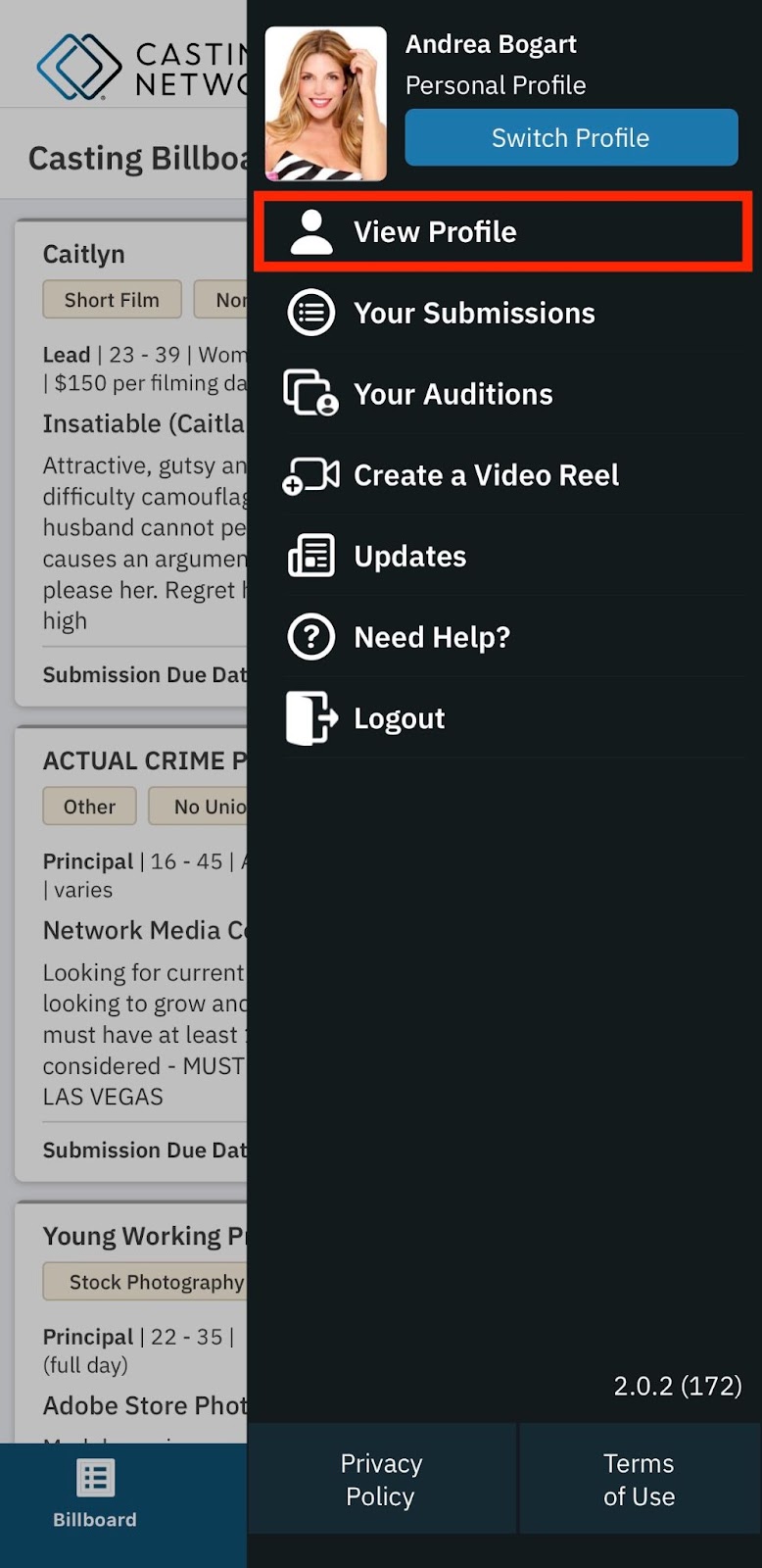
3. Select View Profile
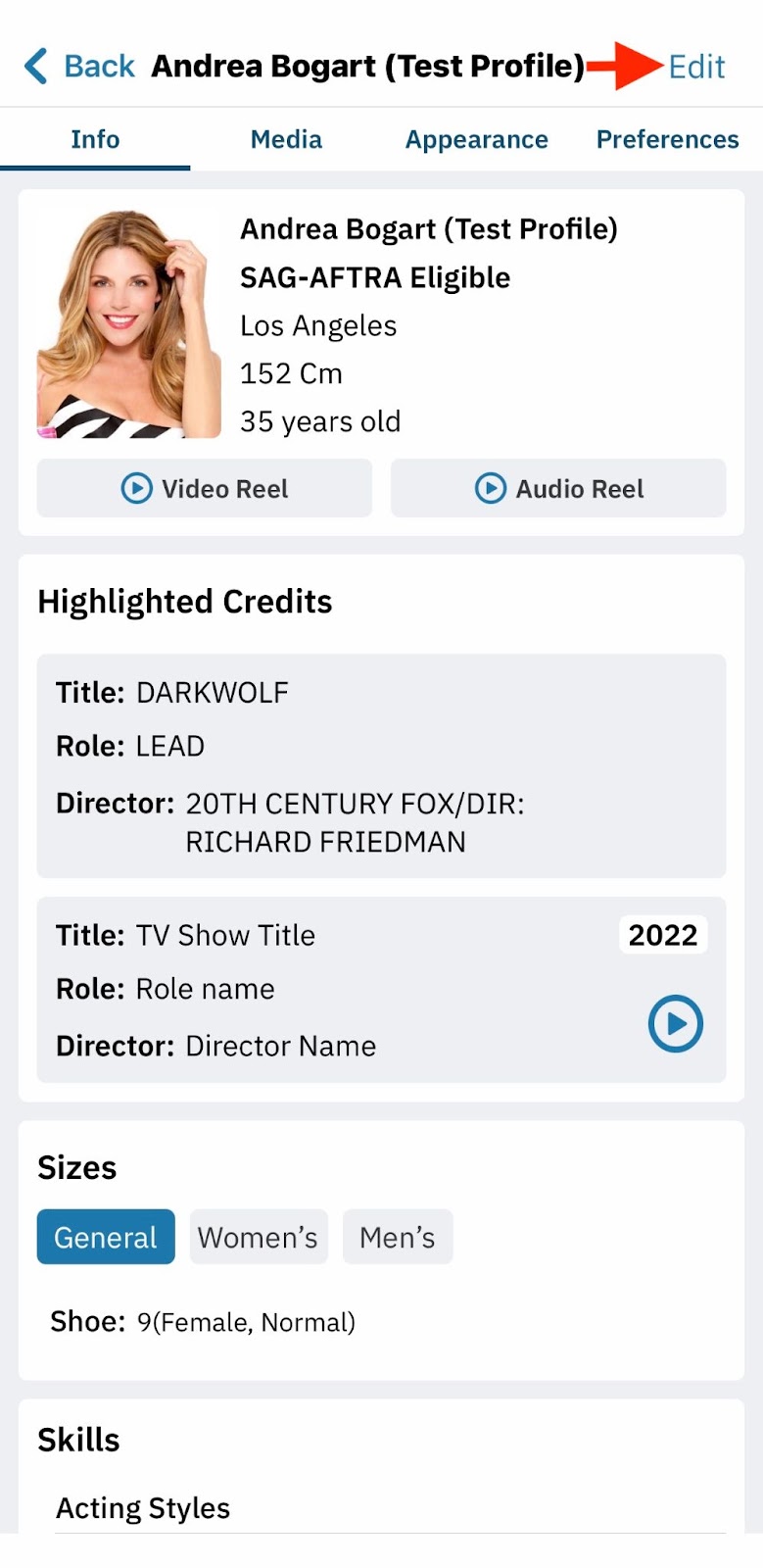
4. Click the Edit button on the right-hand side
5. To modify any categories on your profile, simply click on the pencil icon.
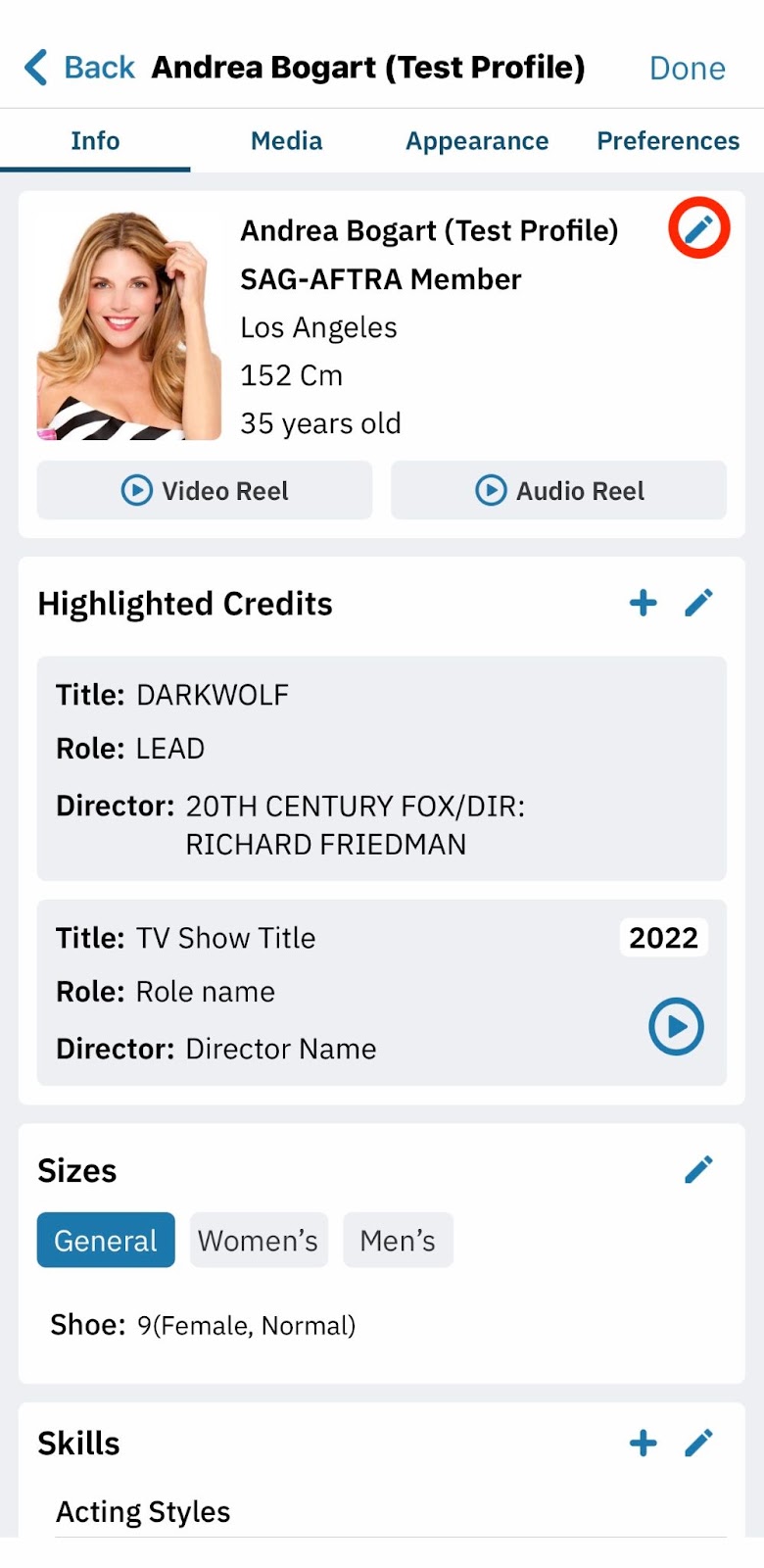
6. Once you are done editing your profile, click on ‘Done’ on the right-hand side
Any modifications made to your profile through the mobile app will be mirrored on the web browser version.
Talent
Actor
Profile
Mobile App
iOS
Was this article helpful?
Sorry about that! Care to tell us more?