
TALENT REPRESENTATIVES: Can my clients leave feedback on a package I sent them?
Yes, clients you send packages to are able to provide feedback by making 'picks' on the talent they are interested in. This article outlines the steps your client takes to make their selections and how you can easily contact those picks afterward.
How Clients Make Picks
When your client opens the package, they can follow these steps to make their selections:
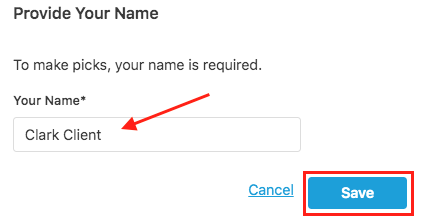
First, they will need to provide their name by clicking the provide your name button. (They can update this name at any time.)

They will type in their name and click Save.
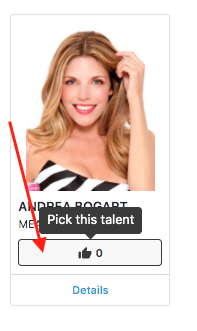
Once their name is entered, they can browse the talent and make a pick by selecting the thumbs up icon under a talent's photo.
How to Contact Client Picks
After your client has made their selections, you can easily send a message directly to those picks.
In the talent folder of the package, select the Contact Picks button, which is located in the bottom right corner.
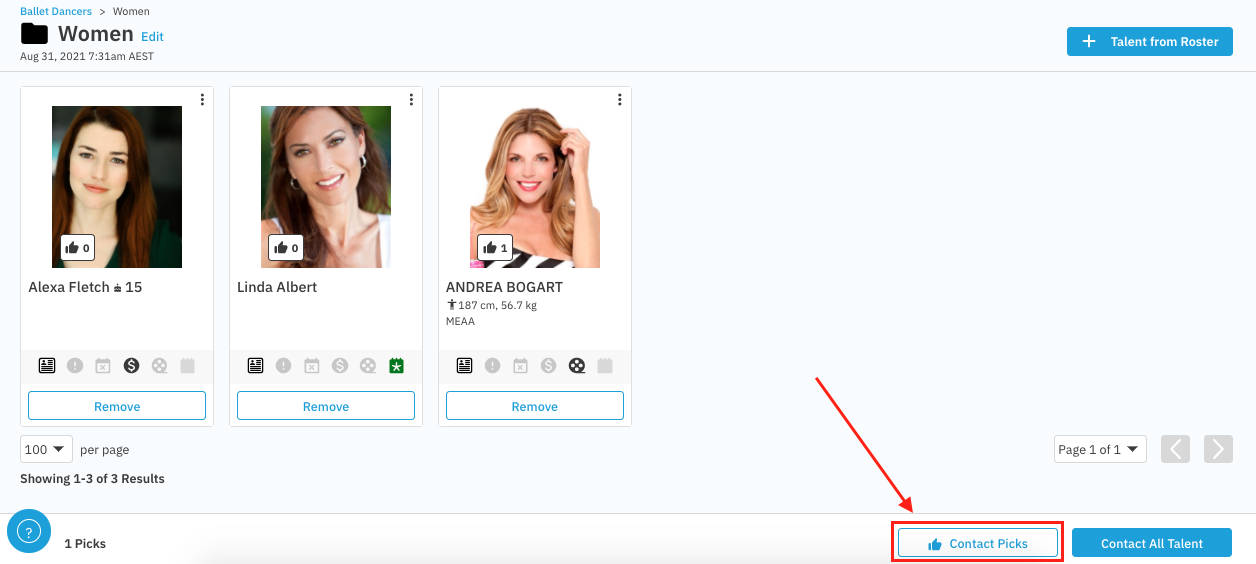
A new window will open, allowing you to compose and send a message to all the selected talent.